Before departure
Coming soon · Invitation-only internal beta
Plans in hand.Next stop,crystal clear.
SimpleTrip brings daily itineraries, mapped places, budget tracking, and lightweight actions into one journey. From planning before departure to each visit along the way, everything stays clear, effortless, and easy to revisit.
SimpleTrip is not yet publicly available. Invited testers receive access and installation details directly.
- iPhone
- iPad
- Mac
- Apple Watch
Fictional website exampleFour Days in Kyoto · Day 2 · October 18Morning Light Café · Seiran Garden · Riverside Bookshop · Lantern Town Diner
THE WHOLE TRIP
Travel guides answer “Where should I go?”
SimpleTrip keeps answering “What’s next?”
Saving ideas and making plans are only the beginning. Once the trip starts, the day’s information should stay close and every action should stay light.
On the move
Let the plan answer what matters now
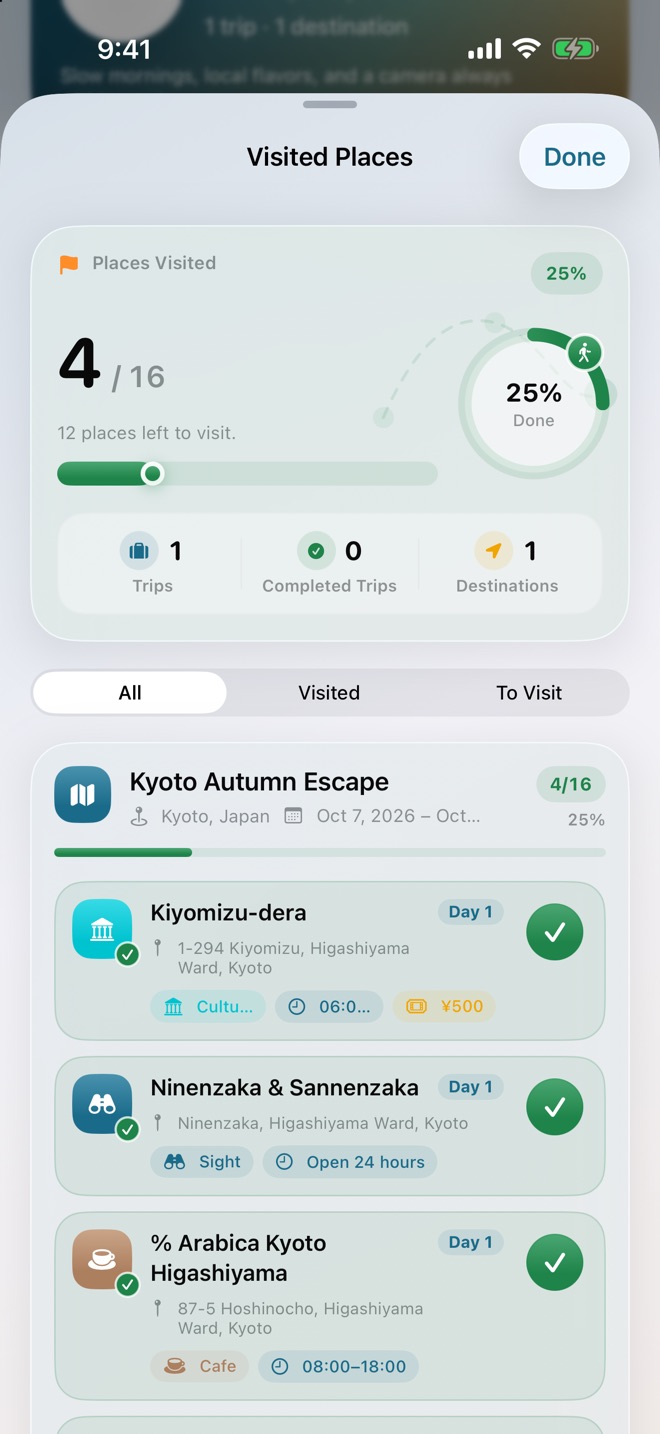
The main app shows places, visits, and progress for the selected date. Existing Watch, Widget, and Siri entry points surface the next stop, while Apple Maps takes over when directions are needed.After the trip
Keep what actually happened
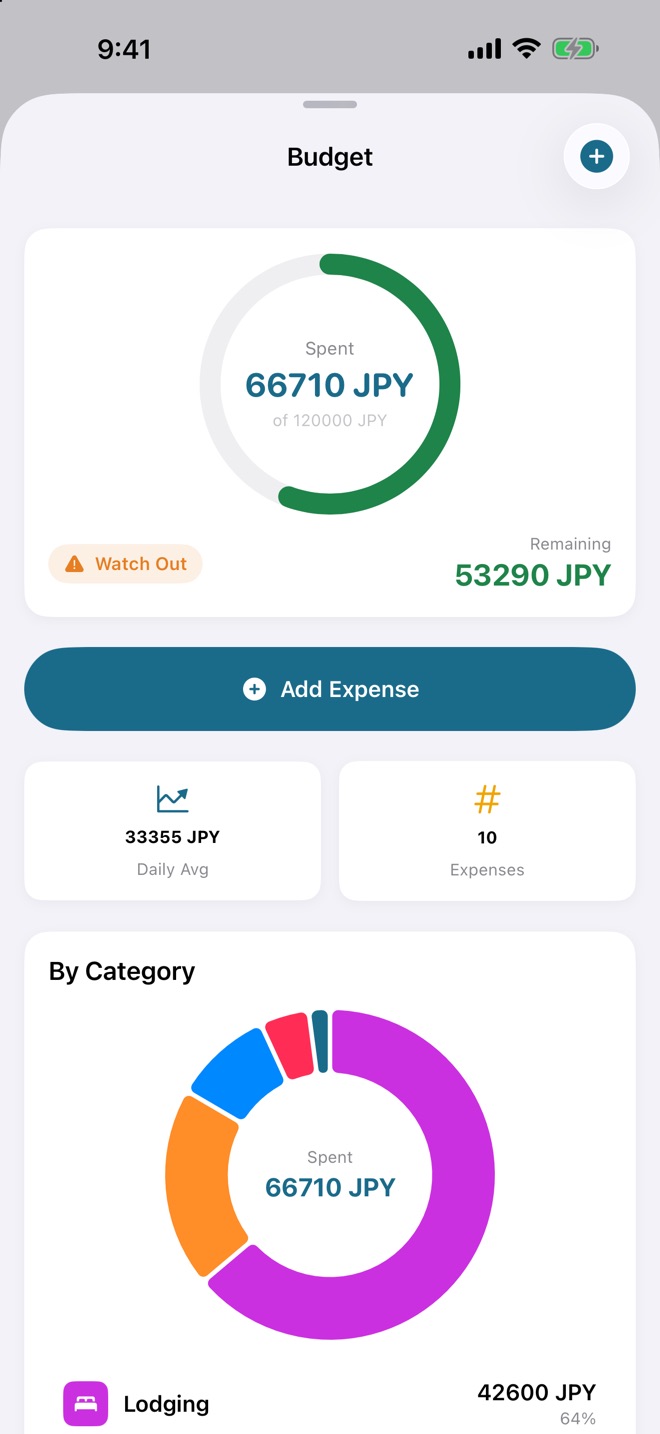
Review spending by category and browse the photo gallery. Export a full itinerary or a single day as PNG, PDF, or Markdown; current exports do not include photos.ON THE MOVE
Choose a date.
Move through each place.
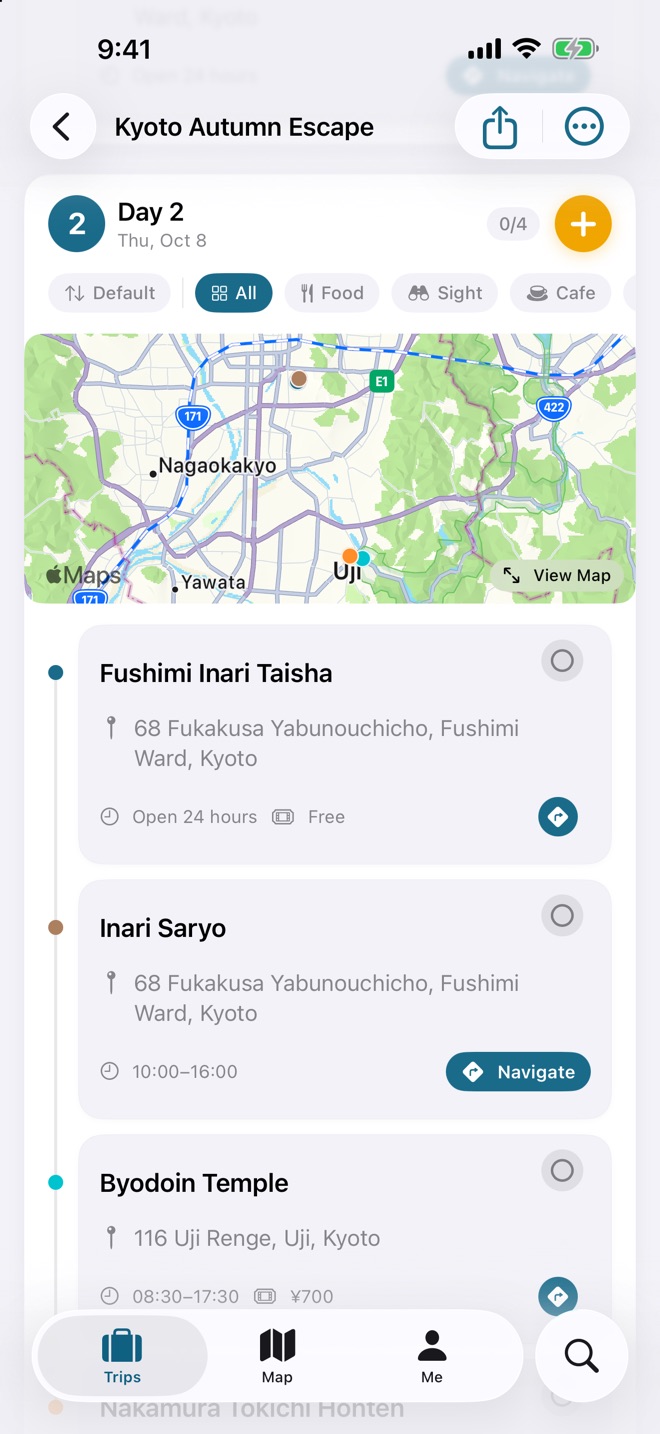
For the selected date, the main app centers on places, visit status, and completion progress. Next-stop information comes from code-backed entry points such as Watch, widgets, and Siri; skipping is limited to Today Route on Watch and select Home Screen widgets.
Choose the date first
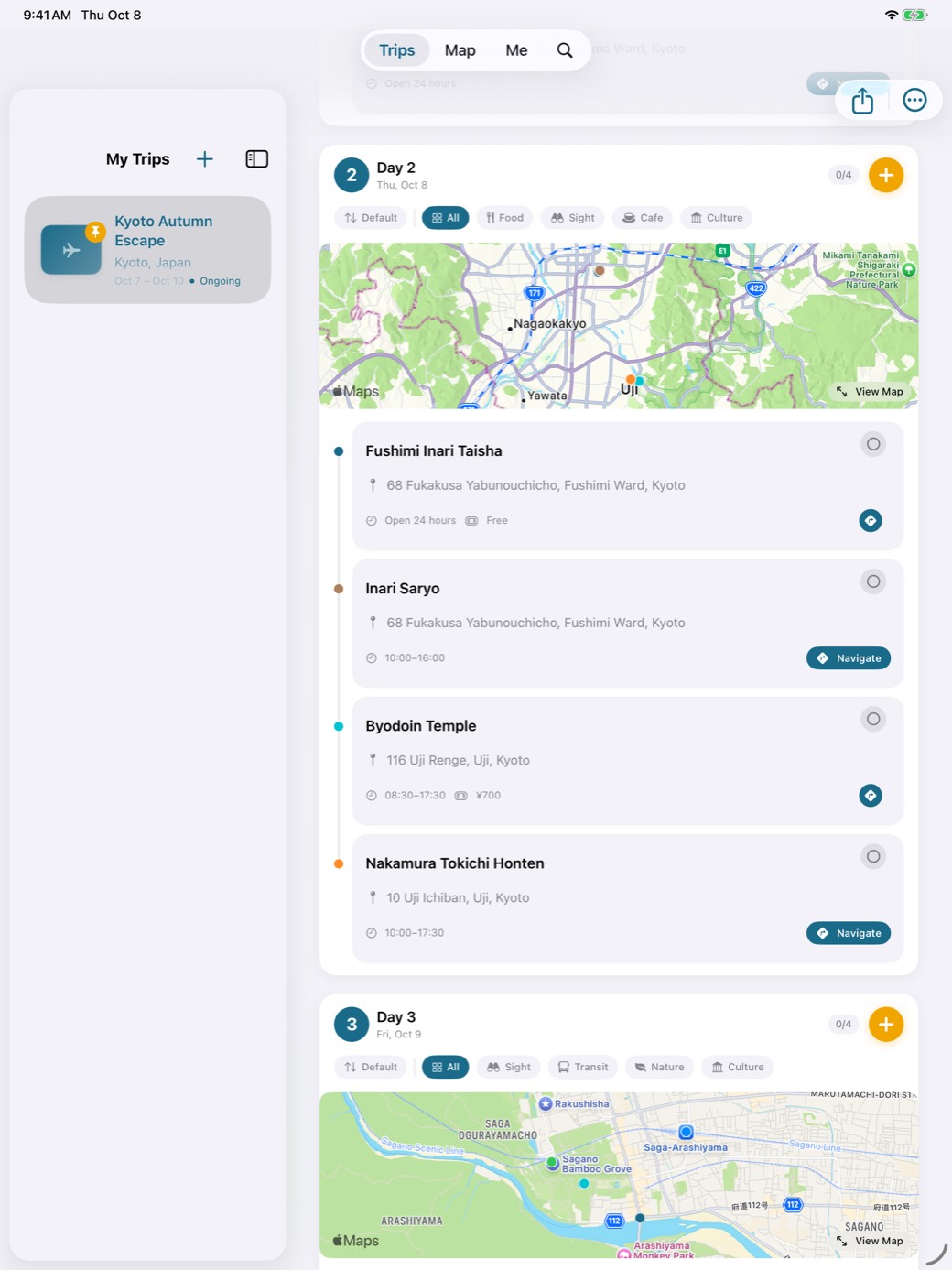
The main app expands the selected date into its places, visit status, and completion progress.
Switch to the view you need
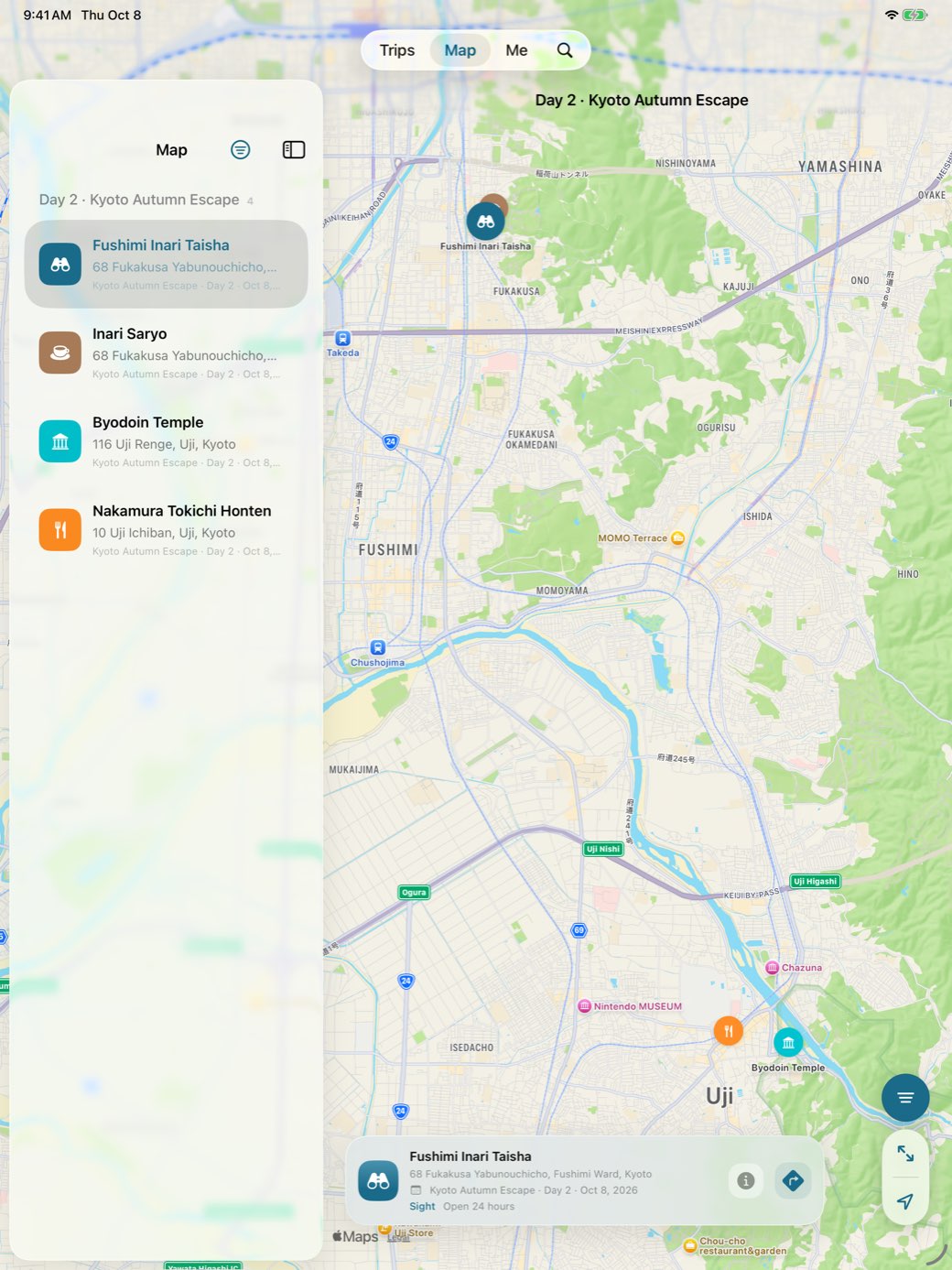
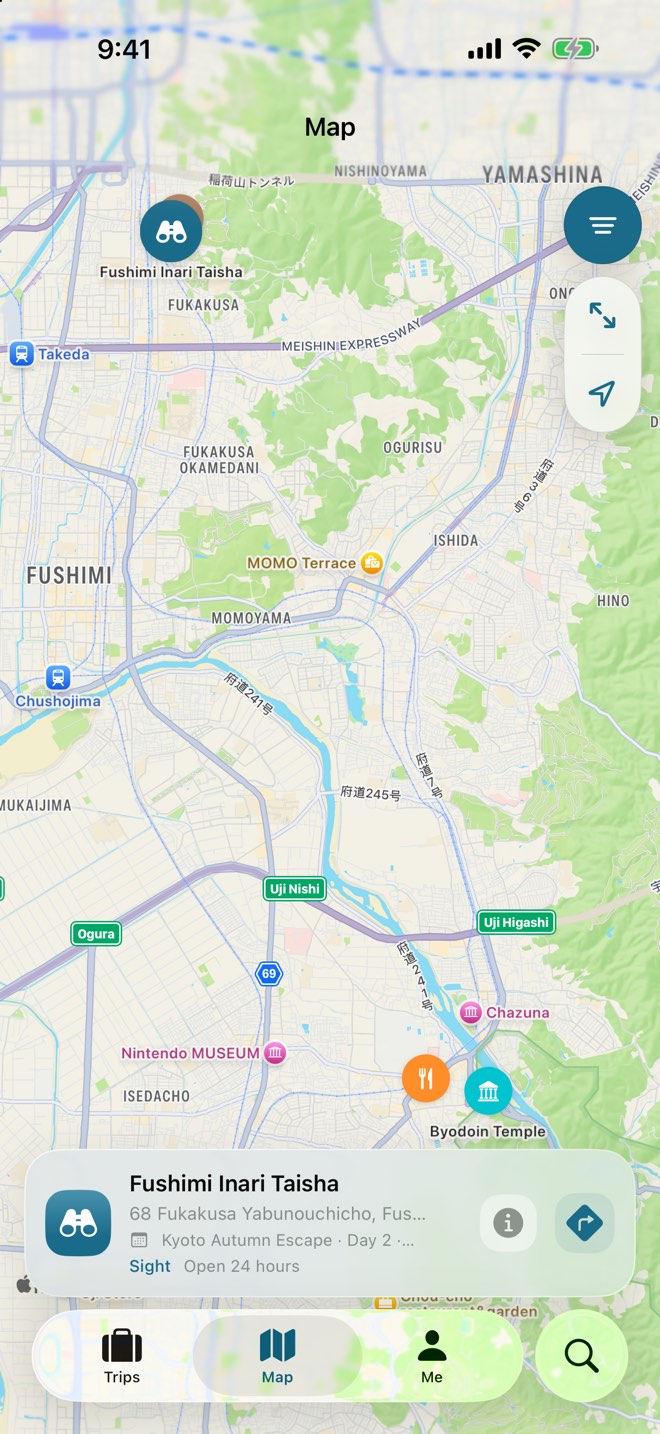
The timeline and compact map are separate interface states. The compact map has no inline text search, but POI selection can discover and quickly add places.
Update what happened
The main app records visits and calculates progress. Skipping is limited to Today Route on Watch and select Home Screen widgets.
Open directions when it is time to go
SimpleTrip keeps the itinerary context, then hands directions to Apple Maps.
The iPhone compact map has no inline text search; places can be discovered and quickly added through POI selection. iPad, Mac, and the place picker provide text search. The app does not draw routes; Apple Maps handles directions.
DEVELOPMENT BUILD · SIMULATOR CAPTURES
The day, ready to follow

See the places in context

Simulator captures from a development build using a separate Kyoto demo dataset. The timeline and compact map are independent interface states, not one combined screen; no real user itinerary is shown.
CORE EXPERIENCE
Not more features.
A journey that keeps moving.
SimpleTrip is designed around one question in the moment: What do I need to know and do right now?
Organize by day, without the digging
Trips, dates, and places unfold in a clear hierarchy. Categories, filters, chosen-order or distance views, and visit status all live in the daily timeline.
- Daily timeline
- Place categories
- Filter and sort
The map is an action point, not decoration
Select a place on the map and quickly add it to the trip. When it is time to go, hand the selected place to Apple Maps for directions.
- POI selection
- Place search
- Apple Maps
One light tap is enough on the move
The main app records visits and completion progress. Today Route on Watch and select Home Screen widgets support skipping, while Watch, widgets, Siri, and other entry points surface the next stop.
- Visits in the main app
- Skip on Watch / select widgets
- System next-stop entry points
Keep the budget and the memories
Record spending by category and review spending statistics. The photo gallery keeps memories separately, while itineraries can be exported in full or by day as PNG, PDF, or Markdown; current exports exclude photos.
- Categorized spending
- Photo gallery
- Photo-free itinerary export
APPLE ECOSYSTEM
Different devices.
Different roles.
This describes interface and system entry-point coverage; it does not promise real-time synchronization across iPhone, iPad, and Mac. Cross-device data depends on every CloudKit condition being met and the user enabling it.
DEVELOPMENT BUILD · SIMULATOR CAPTURES
Search on a wider screen

Confirm what’s next

Progress at a glance
iPhone · iPad
Act on the go, organize on a wider screen
The iPhone compact map has no inline text search, but POI selection can discover and quickly add places. iPad and the place picker provide text search and a wider itinerary view.Your itinerary hubMac
Spread out a complex itinerary
A multi-column desktop layout makes it easier to organize places across several days and keep adding plans through text search.Desktop workspaceApple Watch
Raise your wrist to confirm what’s next
See today’s itinerary, next stop, and progress. The next-stop page centers on directions and marking a visit; skipping lives in the swipe actions for Today Route.Quick actions on the moveWidget · Siri · Spotlight
Glance or jump in without opening the app
Home Screen, Lock Screen, Watch widgets, Siri, Shortcuts, and deep links provide immediate entry points. Spotlight participates in search after the user enables it.System-level entry pointsPRODUCT STATUS
Separate what is in the project
from what still has conditions.
SimpleTrip is coming soon and is currently being tested through an invitation-only internal beta. The capabilities below are backed by the current project; availability can vary by test build, device, permission, and configuration.
Implemented in the project
Core capabilities supported by the current repository
- Trips, dates, places, and a daily timeline
- Place categories and filters, with chosen-order or distance views
- Map display, place search, quick add, and Apple Maps directions
- Main app: places, visit status, and completion progress for the selected date
- Existing Watch, Widget, and Siri entry points surface the next stop
- Today Route on Watch and select Home Screen widgets support skipping
- Budgets, categorized spending, and spending statistics; the photo gallery remains separate from itinerary exports
- Export a complete itinerary or a single day as PNG, PDF, or Markdown; current exports do not include photos
- Adaptive interfaces for iPhone, iPad, and Mac, plus Watch, widgets, Siri, Shortcuts, and deep links
- Local data storage with SwiftData
Configuration, switches, and engineering boundaries
Describe these as available only when every condition is met
CloudKit is off by default
It becomes available only after the CloudKit capability and container entitlement are configured, the bundle and container identifiers are consistent, private-database storage is used, local-data migration and error fallback are validated, security checks are complete, and the user explicitly enables it.
Spotlight requires user opt-in
Trips and places can appear in system search only after the user enables indexing.
visionOS currently has project coverage
At this stage, it is not described as a finished, purpose-built spatial experience.
The shared minimum deployment target is 26.2
This applies to the iOS, iPadOS, macOS, watchOS, and visionOS project targets.
NEXT PHASE · AI ROADMAP
Not yet implemented as a complete capabilityGet trip execution right first.
Then make AI genuinely useful.
AI should generate drafts that people can review and adjust, not make travel decisions for them. Conversational refinement and travel-journal generation belong to a later phase.
- 01Generate an itinerary draft→
- 02Refine it in conversation→
- 03Validate the schema→
- 04Ask for confirmation→
- 05Save the final itinerary
Review before it enters the itinerary
Generated results pass structural validation, and the user can still delete, reorder, or reject them. Any remote-AI phase must also establish clear security boundaries, prompt-injection defenses, and outbound-data controls.
The user always decides
AI provides a starting point and organizational help without presenting suggestions as unchangeable answers.
Travel-journal generation is a long-term direction
Automatically shaping the trip into a journal afterward is a vision, not a feature already available in this phase.
SIMPLETRIP
Coming soon.
Built around the next step.
SimpleTrip is being refined with invited internal beta testers. Public release details will be shared when they are confirmed.